Need Assistance With configuration

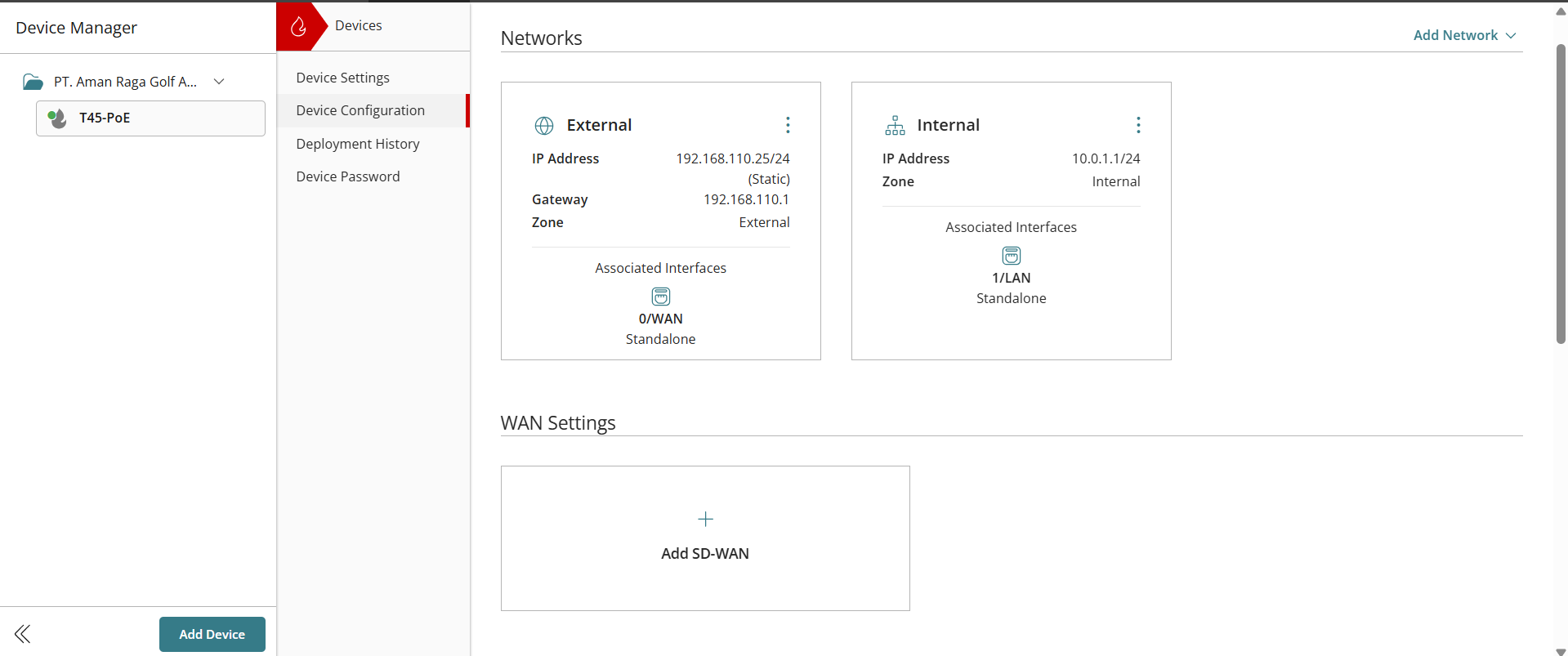
I need help with configuring the firebox. I assumed I had done it right because the initial config (First image) worked just fine
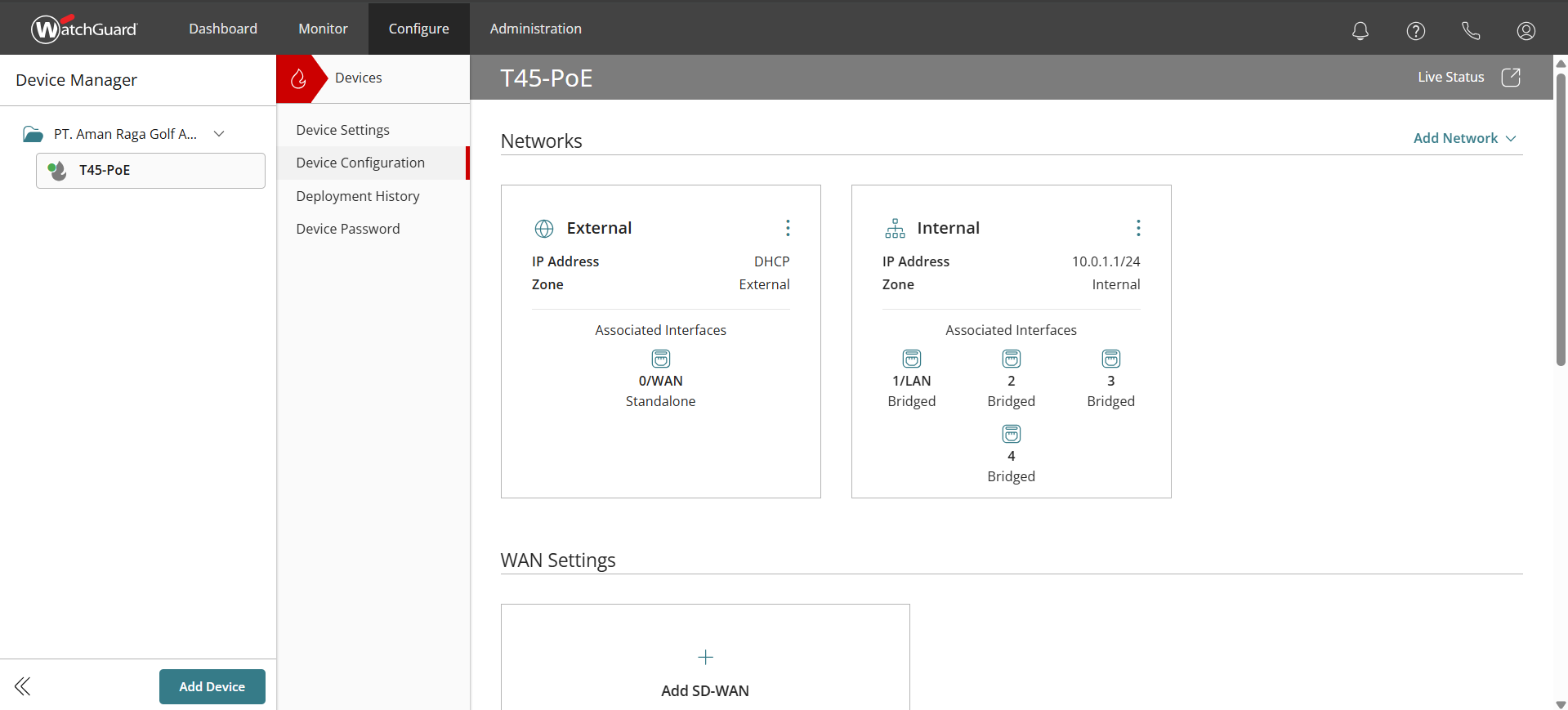
Context: After the initial config, user requested to allow whatsapp to bypass. There were unfortunately some "staged" changes that I thought had been skipped, indicated by "skipped" in deployment versions but it got applied and users ended up with dhcp of 10.0.x.x
Unfortunately I am unable to raise a technical support ticket
Comments
-
What is expected or wanted ?
What doesn't work?2 obvious changes - external switched from static IP addr to DHCP, and internal interfaces changed to a bridge group
Changes shown would not seem to have any impact to allow WhatApp access
0 -
@Bruce_Briggs said:
What is expected or wanted ?
What doesn't work?2 obvious changes - external switched from static IP addr to DHCP, and internal interfaces changed to a bridge group
Changes shown would not seem to have any impact to allow WhatApp access
Okay I should've been clearer, image 1 worked. I don't know how but it initially worked. Restored to it, but now it doesn't work. I tried tweaking some things because I had not yet been certain that my initial config version had worked. However, since it seemed to operate swimmingly, I remember choosing not to deploy it.
A few weeks after, users complained about whatsapp being slower. When I changed policies and deployed them, in hopes of making whatsapp faster, it platformed/deployed the tweaks I made
What is expected? Traffic to be seen by the firewall and for devices to get dhcp from the icp router (192.168.110.x and 111.x)
What doesn't work? the IP the devices get are 10.0.x.x IPs0 -
Where is the icp router located?
In front of the WG firewall or connected to an internal interface of the WG firewall?In image 1 & 2, any device which is connected to an active internal firewall interface would get an IP addr from 10.0.1.x using DHCP
0 -
@Bruce_Briggs said:
Where is the icp router located?
In front of the WG firewall or connected to an internal interface of the WG firewall?In image 1 & 2, any device which is connected to an active internal firewall interface would get an IP addr from 10.0.1.x using DHCP
The ICP Router is connected to the external port of the firewall while the internal port is connected to the core switch, intended to deliver/forward the dhcp of the ICP Router
0 -
Is the WG firewall internal port 1 also connected to the core switch?
If so, and DHCP is enabled on the WG firewall port 1 settings, then it will answer DHCP requests with IP addrs from 10.0.1.xWhat is the purpose of the WG firewall ?
0 -
Just to clarify - "while the internal port is connected to the core switch"
The internal port here is from the ICP Router or from the WG firewall ?0 -
FYI - in Mixed Routing mode (the default), a WG firewall will not pass DHCP packets from an internal client out the external interface to an external DHCP server.
0 -
@Bruce_Briggs said:
Just to clarify - "while the internal port is connected to the core switch"
The internal port here is from the ICP Router or from the WG firewall ?I meant that WG's port 1 (internal) is connected to the core switch
The firewall is not meant to blast/give dhcp addresses. It's just meant to monitor traffic0 -
Look at using Bridge Mode
0
